Managing one Google Ads account well is a skill. Managing 30 without quality slipping is a systems problem, and the two are not the same. Once you pass a handful of clients, careful manual review stops scaling. This blueprint covers how to manage multiple Google Ads accounts the way busy agencies do it: standardized processes, a clear monitoring system, and PPC automation that handles the routine so your team can focus on decisions.
The 30-second version
| The question | The short answer |
|---|---|
| Does the manual approach scale? | No. What works on one account breaks across 20 or 30. You need a system, not more hours. |
| What should you standardize first? | Campaign structure, naming, and a single audit checklist applied to every account. |
| How often should you audit each account? | Daily for high-spend clients, 3x/week for moderate-spend clients, and weekly for low-spend clients. |
| What should automation handle? | Routine monitoring, threshold alerts, budget pacing, and wasted-spend detection. Not strategy. |
| What is the real bottleneck? | Human attention. Reserve it for decisions, automate the rest. |
Why Managing 30 Accounts Isn’t Just Managing 1 Account, 30 Times
Here is the trap most growing agencies fall into. They take the workflow that works beautifully on one account, the daily check-in, the gut-feel tweaks, the deep familiarity, and they copy and paste it across the portfolio. It works at five accounts. It strains at fifteen. At thirty, it quietly falls apart.
The reason is simple. Manual review depends on attention, and attention does not multiply. You start tab-switching between accounts, and the small problems, a budget pacing too fast, a CPA creeping up, a tracking tag that broke last Tuesday, slip past you. By the time you notice, the money is already spent.
The fix is not working harder. It is building a system that watches every account the same way, so nothing depends on whether a specific person happened to log in that day.
Standardize Before You Scale
You cannot monitor what you cannot compare. If every account is built differently, every audit is a fresh puzzle, and cross-account analysis becomes guesswork. Standardization is the unglamorous step that makes everything after it faster.
Two things are worth standardizing first.
A template campaign structure
Apply the same campaign and ad group logic across every account you manage. Same naming conventions, same structure, same way of grouping intent. When all accounts speak the same language, a new team member can open any one of them and know where to look in minutes, not hours.
A single audit checklist
Run the exact same checks on every account: budget pacing, CPA versus target, Quality Score drops, search term hygiene, tracking health. When the checklist is identical, comparing account A to account B actually means something, and onboarding a new client becomes a process instead of a scramble.
The Google Ads Monitoring System: What to Watch, and How Often
Once your accounts are consistent, you can build a monitoring system on top of them. The goal is to catch problems while they are small and cheap to fix, not after they have drained a budget. Four signals matter most across any portfolio.
- Budget pacing: is any account spending too fast or too slow against its monthly cap?
- CPA drift: which campaigns have a cost per acquisition creeping above target?
- Quality Score drops: are top keywords slipping, which quietly raises your cost per click?
- Broken tracking: did a conversion tag stop firing, which would blind your bidding overnight?
How often should you check each account?
Audit frequency should scale with spend, as higher spend means there's greater potential to waste money quickly. A common framework is to divide your client portfolio into tiers based on spend volume, contract value, and campaign complexity. High-spend clients should be monitored daily, whereas small businesses and low-spend clients can be monitored two to three times per week.
Where PPC Automation Pays Off (and Where It Doesn’t)
This is where PPC automation earns its keep. Across 30 accounts, the routine checks above are too much to do by hand every week. Automation runs them for you, on schedule, and flags only what needs a human.
What automation handles well
The repetitive, time-draining work that has to get done but does not need creativity. Threshold alerts on budget and CPA. Continuous wasted-spend detection through search term analysis. Pacing checks that project where spend will land by month end. Watchdogs that warn you when a tag breaks or an account stops serving.
The productivity gain is the whole point for an agency. When routine monitoring is automated, your specialists stop spending their week clicking through reports and start spending it on strategy. That is how one analyst ends up managing far more accounts without quality dropping, and how standardized portfolios onboard new clients faster.
Where it falls short
Automation is only as good as the rules and data behind it. It does not understand a client’s seasonality, a sudden product change, or the difference between a healthy CPA spike and a broken one. That judgment stays human.
A Repeatable Weekly Workflow for Your Whole Google Ads Portfolio
Here is what the system looks like in practice. The point is that it runs the same way every week, no matter who is at the keyboard.
- Start with the alerts, not the accounts. Open your monitoring dashboard and look at what got flagged across all accounts. Do not open accounts one by one.
- Sort by spend and impact. A pacing problem on a $20K account beats a minor issue on a $1K account. Triage by what costs the most.
- Fix the top issues first. Work down the list. Add negative keywords, adjust pacing, repair tracking, address Quality Score drops.
- Log what you did. A quick record per account keeps the portfolio auditable and makes the next week faster.
- Let automation watch the rest. Everything you did not touch is still being monitored, so a new problem surfaces as an alert, not a surprise.
Monitor Every Account Without Burning Your Team Out, with Kuma Agents
Building this system by hand, the scripts, the alerts, the cross-account dashboard, is real work, and keeping it running is more. That is the gap Kuma Agents was built to close for agencies.
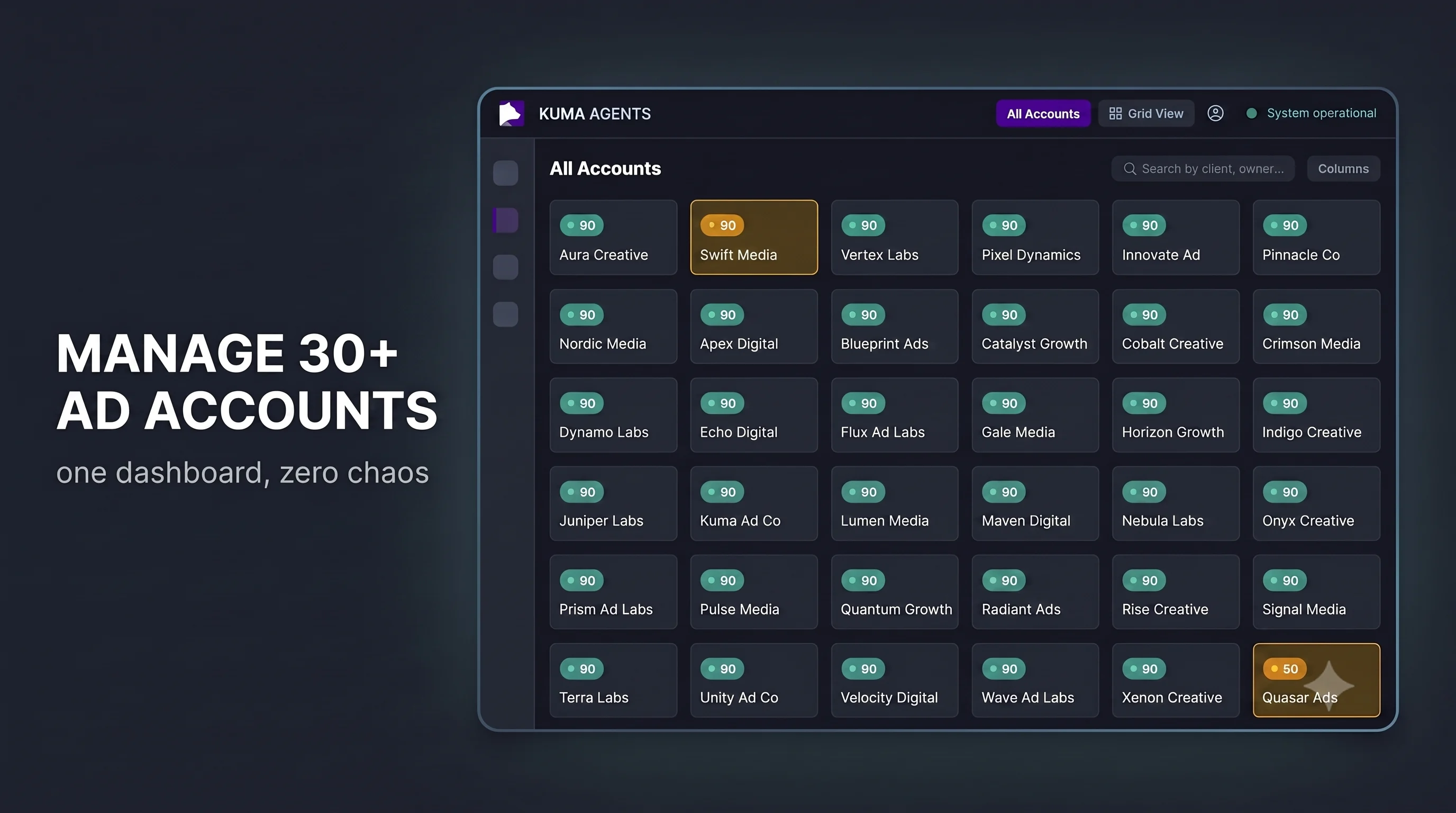
Kuma connects to your Google Ads, Microsoft Ads and Meta Ads accounts and audits the whole portfolio continuously. It watches the signals that matter, budget pacing, CPA drift, Quality Score, broken tracking, flags the accounts that need attention, and ranks them so your team works on the costliest problems first. Instead of a vague alert, you get a clear recommendation, and for many issues, a one-click fix you can push straight to the account.
The result for an agency is hours of monitoring work recovered per account, per week, and quality that stays constant as you add clients instead of slipping. It is not magic. It is the boring, consistent monitoring you know you should do on every account, run for you, with language models handling the analysis and your team keeping the wheel.
See how it works for a multi-account portfolio: explore Kuma Agents for marketing agencies.
Frequently Asked Questions
How often should I audit each Google Ads account in my portfolio?
Tie frequency to spend. A common framework is to divide your client portfolio into tiers based on spend volume, contract value, and campaign complexity. High-spend clients should be monitored daily, whereas small businesses and low-spend clients can be monitored two to three times per week.
Do I need automation software to optimize Google Ads campaigns, or are Google Ads scripts enough?
Scripts are powerful and free, but they need engineering time to write, test, and maintain, and they live inside one account at a time. For a single account or a technical team, they go a long way. Across 30 accounts, a dedicated monitoring tool that audits the whole portfolio, prioritizes issues, and surfaces fixes usually saves more time than it costs. Many agencies use both.
Will Google Ads optimization automation replace my PPC team?
No. Automation handles the routine monitoring and the grunt work, which frees your team for strategy and client decisions. It does not understand context, seasonality, or business goals, and pointed at the wrong target it will optimize toward the wrong outcome. The job shifts from clicking to deciding, and oversight matters more, not less.