When Google Ads conversion tracking breaks, your bids optimize toward bad data and nothing looks wrong on the surface. Clicks and spend stay normal while the conversion numbers feeding Smart Bidding drift from reality. This guide shows how to diagnose the most common breaks and fix them, from tags to attribution windows.
Why Broken Conversion Tracking Quietly Wrecks Performance
Smart Bidding is only as good as the conversion data you feed it. When tracking breaks, the algorithm keeps bidding with full confidence on signals that are wrong. Unlike a disapproved ad or a budget spike, nothing flashes red.
You just make weeks of decisions on numbers that were never real. That is why this is a diagnostic problem, not a monitoring one. By the time the dip shows up in a report, the budget is already spent in the wrong places.
The Most Common Ways Google Ads Conversion Tracking Breaks
- A missing tag: the Google tag or GTM container gets dropped or unpublished after a site redeploy.
- Double counting: the Google Ads tag and a GA4 conversion import both record the same purchase, or the gtag loads twice on the page.
- GA4 import mismatch: an imported GA4 key event is defined differently than your native conversion, so the totals never line up.
- Attribution changes: a changed conversion window, or the data-driven model, reassigns credit so the same sales are counted differently.
How to Diagnose and Fix Google Ads Conversion Tracking Issues
Work from the fastest check to the deepest, so you stop guessing early.
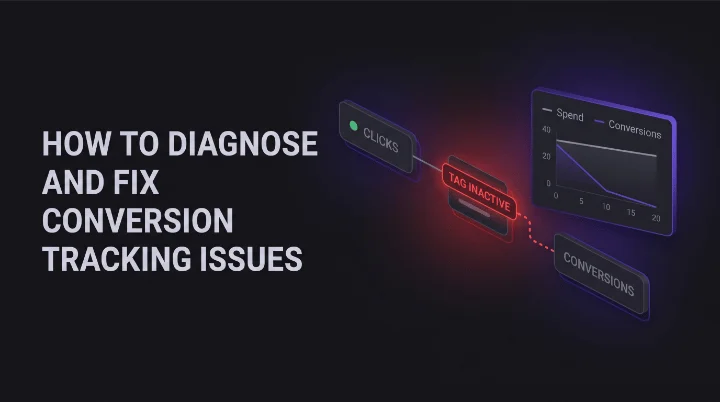
- Start with the status column. "Tag inactive" or "No recent conversions" points straight at a firing problem, not a strategy one.
- Confirm the tag actually fires. Use Google Tag Manager to check that the tag triggers when a real conversion happens, not just when the page loads.
- Hunt for duplicates. Keep one source of truth per action: import from GA4 or use the Google Ads tag, never both for the same conversion.
Then confirm the model and window. Google Ads defaults to data-driven attribution, so compare like for like before you blame the tag. Finish with a real end-to-end test: run one conversion and watch it land with the right value and currency.
Broken tracking is one of the quiet failures a real monitoring routine is built to catch. Bad data never announces itself, so the accounts that stay clean are the ones checking tag health on a schedule, not once a quarter. Conversion tracking is just one piece of that bigger picture. Our multi-platform PPC monitoring playbook covers how to watch conversion health, spend, and policy status across every account you run.
Frequently Asked Questions About Google Ads Conversion Tracking
Why do my Google Ads conversions not match GA4?
The two platforms count differently. Google Ads credits the conversion to the click date and uses data-driven attribution by default, while GA4 uses its own model and event definitions. A gap is normal. A large and growing gap usually means a duplicate tag, a mismatched import, or a tag that stopped firing.
How do I know if my conversion tracking is broken?
The clearest tell is conversions falling toward zero while clicks and spend hold steady. Also watch for a "Tag inactive" status, "No recent conversions" warnings, or totals that suddenly diverge from your backend sales. Any of these means you diagnose before you optimize.
Should I import conversions from GA4 or use the Google Ads tag?
Pick one per action. Using both for the same purchase double counts and misleads Smart Bidding. The Google Ads tag tends to be more direct for bidding, while a GA4 import helps when your setup already centers on GA4. The rule that matters: never run both for the same conversion.
Trust Your Numbers Before You Trust Your Strategy
Every bid, budget, and pause decision rests on your conversion data. If that data is wrong, a smart strategy just gets you to the wrong place faster.
Not sure your tracking is telling the truth? Run a free Google Ads audit with Kuma Agents and see your conversion tracking and account health checked in one pass.