Under Google Ads policy, a disapproved ad shows nowhere, while an ad limited by policy only reaches part of your audience. Both cut results without a loud warning. Here is what each status means, the most common reasons Google flags ads, and how to fix them before lost impressions pile up.
What "Disapproved" and "All Ads Limited by Policy" Mean
Two problems hide behind similar wording, and they need different fixes.
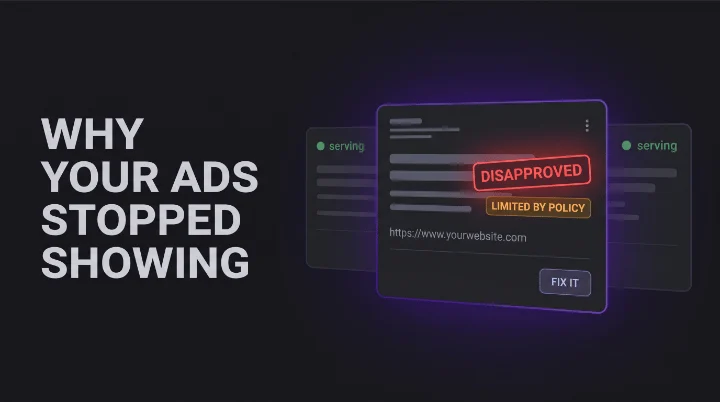
A disapproved ad has failed review and cannot show anywhere. Google marks it "Disapproved" and names the policy it broke.
An "Eligible (limited)" status, what many advertisers search as all ads limited by policy in Google Ads, is softer but sneakier. The ad still runs, but only to a reduced audience, often because of a restricted category. You keep spending, you just reach fewer people, and the drop is easy to miss.
Pro tip: Add the "Policy details" column to your Ads table. It spells out exactly why an ad is disapproved or limited, so you stop guessing.
The Most Common Reasons Google Flags Your Ads
Most disapprovals trace back to a short list:
- Misleading or unrealistic claims in the ad copy
- Landing page problems, like a broken, thin, or mismatched page
- Restricted content, such as alcohol, gambling, healthcare, or finance
- Trademark use after the owner files a complaint
- Misrepresentation, like hidden fees
Watch out: One disapproved ad in a rotation can quietly starve an ad group. The other ads pick up the slack, your spend looks normal, and the policy flag goes unnoticed until performance slips.
How to Catch and Fix Policy Issues Fast
Fixing one flagged ad is simple. Edit the ad or landing page, resubmit, and let it re-review. Most ads are reviewed within one business day. If you disagree with the call, you can appeal from the "Policy details" column.
The hard part is catching those flags across many accounts before they cost you. Manual checks miss them, and policy is only one thing that can quietly break in an account. That is why disapprovals belong inside a broader multi-platform PPC monitoring routine, not a once-a-week glance. One system scans every account on a schedule and surfaces disapprovals, limited-by-policy statuses, and other health issues the day they land. That is one of the checks Kuma Agents runs automatically, ranked by how much each flag is costing you.
Stop Losing Reach to Silent Policy Flags
A disapproved or limited ad rarely announces itself. It serves less, spends about the same, and shows up as a soft dip in your numbers weeks later. On one account, you will catch it. Across thirty, you will not.
The advertisers who win treat policy status as something to monitor, not something to discover at month-end. Catching a flag the day it lands is the difference between a five-minute fix and a lost week.
Want to see what is flagged across your accounts right now? Run a free Google Ads audit with Kuma Agents and get every policy issue ranked by cost.
Frequently Asked Questions About Google Ads Policy
What does "all ads limited by policy" mean in Google Ads?
It means your ads still run, but only to a limited audience, usually because they touch a restricted category. You keep paying for less reach. Open the "Policy details" column to see the exact reason, and whether a fix or a certification can lift the limit.
How long does it take to fix a disapproved ad?
After you edit and resubmit, the ad goes back into review. Most reviews finish within one business day, though complex cases take longer. If it stays under review for more than two business days, check the status again.
Can disapproved ads hurt the rest of my account?
A single disapproved ad does not penalize your account, but repeated violations can. More often, the real cost is simpler: the flagged ad stops serving and drags down the volume you planned for.