Most accounts we connect have negative keywords. Almost none of them have been reviewed in the last year. The list was built during setup, it blocked the obvious junk, and then everyone moved on to bid strategies and creative.
Meanwhile the search terms report kept filling up. This guide covers both halves of the job: the starter list you can copy today, and the method for finding the waste that only exists in your account.
What a negative keyword blocks, and what it quietly lets through
Here is the single thing that trips up most advertisers, and it is not obvious.
Positive keywords expand. Add "running shoes" as a broad match keyword and Google will match it to plurals, misspellings, synonyms and related ideas. That is close variant matching, and it is why one keyword can catch hundreds of searches.
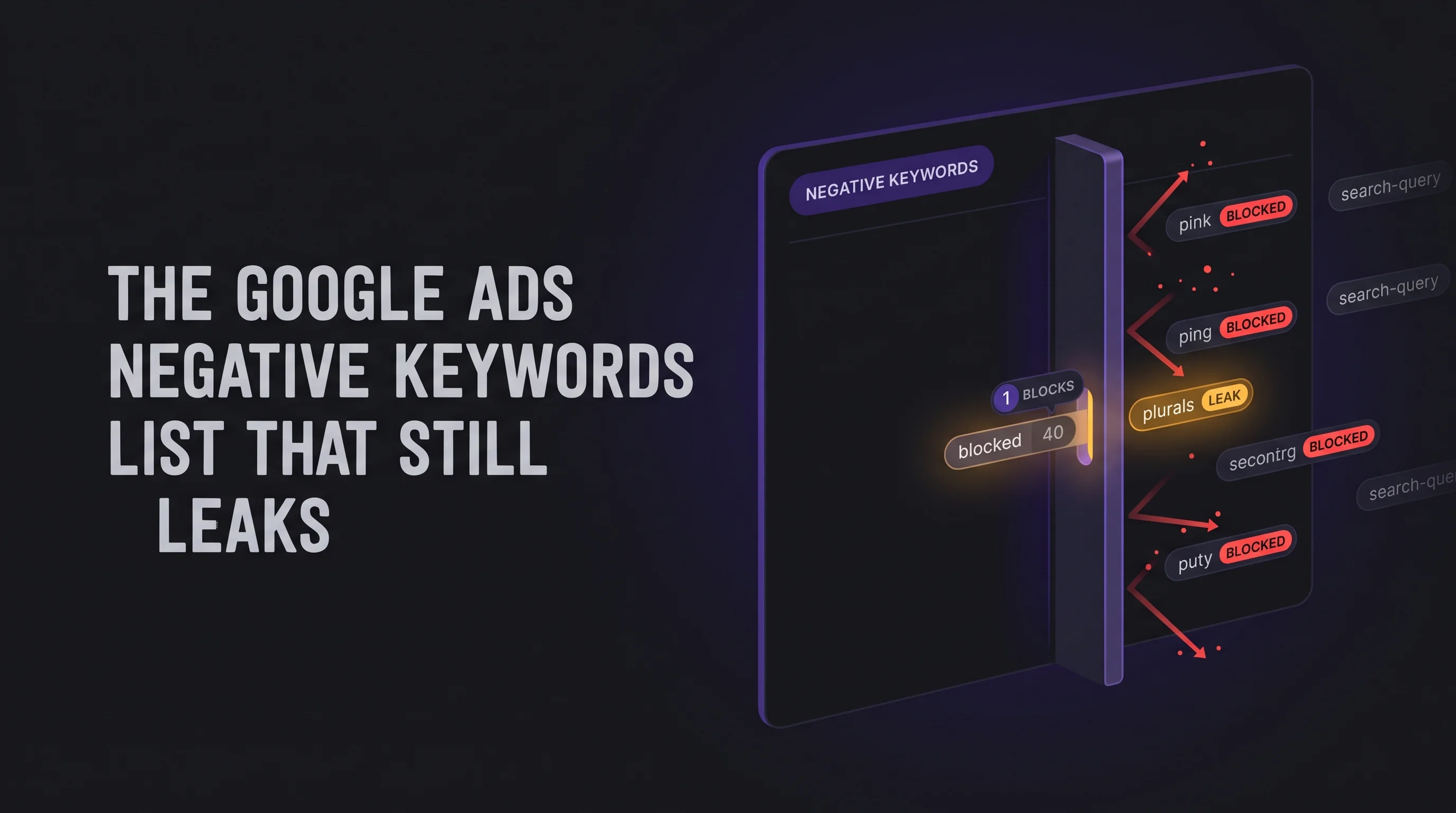
Negative keywords do not work that way. Negative keywords do not match close variants. If you block "flower", you are not blocking "flowers". If you block "job", you are not blocking "jobs" or "careers" or "hiring". You have to add each form yourself.
This is why a negative list that looks thorough can leak money for months. It blocks the word someone typed during setup, and nothing else.
The three match types, and what each one actually stops
| Match type | Blocks the search when | Use it for |
|---|---|---|
| Negative broad (default) | The search contains all of your negative terms, in any order | Words that are never relevant to you |
| Negative phrase | The search contains your exact terms, in the same order | A specific expression you never want |
| Negative exact | The search is exactly your negative keyword, nothing more | One bad query whose variations are fine |
Two details worth knowing. There is no negative broad match modifier. And for a single-word negative, broad and phrase behave the same in practice, because both block any search containing that word.
Google does account for changes in casing, and for misspellings that it corrects in the search results. It does not account for anything else.
Worth knowing
Microsoft Advertising does not support broad match for negative keywords. If you copy a list from Google to Microsoft, check how it lands.
The starter list: negatives that belong on almost every account
These are the categories that waste money on accounts in almost every industry. They are a starting point, not a finished list. Read each one against what you actually sell before you paste it in.
| Category | Example terms | Skip this group if |
|---|---|---|
| Job seekers | job, jobs, career, careers, hiring, salary, vacancy, recruitment, intern, internship, resume, cv | You sell recruitment or HR software |
| Free and DIY | free, freeware, cheap, cheapest, diy, do it yourself, homemade, how to make, build your own | You run a freemium offer |
| Learning and courses | course, courses, training, tutorial, certification, class, classes, degree, textbook, pdf, template | You sell education |
| Research and definitions | what is, meaning, definition, wikipedia, examples of, history of | You run top of funnel content campaigns on purpose |
| Reviews and complaints | complaint, complaints, scam, lawsuit, sue, refund, cancel, unsubscribe, is it legit | You run a reputation campaign on purpose |
| Secondhand and rental | used, second hand, refurbished, rent, rental, lease, auction, ebay, craigslist, kijiji | You sell any of those |
| Kids and toys | kids, children, toy, toys, game, games, cartoon, coloring | Your product is for children |
| Adult and gambling | the standard adult term list, plus casino, betting, gambling | Never skip this one |
| Images and video | image, images, photo, photos, picture, wallpaper, video, youtube | You sell stock media |
Three things to do before you use it.
Add the plurals and the misspellings. Remember that negatives do not expand. "career" does not block "careers". Go through the list and write both forms.
Check every term against your own product. A plumbing company can safely block "course". A trade school cannot. A SaaS company with a free tier should not block "free" at the account level, because "free trial" is one of its best converting searches.
Decide the match type one term at a time. Most of these belong in negative broad, because the word is never relevant. A few belong in phrase or exact. "Free" is the classic example: blocking it broad will also block "free shipping" and "free consultation", which are often exactly what you want to rank for.
Careful
The most expensive mistake in this article is blocking a word that appears inside a search you want. Before adding any single common word as a negative broad, search your own terms report for it and see what it would have blocked over the last 90 days.
How to find the negatives that are specific to your account
The starter list handles the generic waste. The expensive waste is always specific to you, and it lives in the search terms report.
The 90 day pass
Open the search terms report, set the date range to the last 90 days, and sort by cost. Not by impressions, not by clicks. Cost is the only column that tells you what the problem is costing.
Work down the list and ask one question per row: would I have bid on this search on purpose? If the answer is no, it is a negative.
Ninety days matters. Thirty days on a small account gives you a handful of terms with one impression each, and you cannot tell signal from noise. Ninety days gives you enough volume to see patterns.
Look at the words, not only the searches
Blocking search terms one at a time is slow and it never catches up. The faster method is to look at the individual words that keep appearing across bad searches.
Export the search terms report to a spreadsheet. Split each search into its individual words and count how often each word appears, along with the cost attached to it. You will usually find five or ten words doing most of the damage.
That is where a single negative broad keyword replaces forty individual exclusions. One account we looked at was spending on dozens of different searches that all shared one word: the name of a competitor's discontinued product line. One negative, and the leak stopped.
What to do with single impression terms
Most accounts have a long tail of searches that appeared once, cost nothing, and will never appear again. Do not spend your afternoon excluding them.
Set a floor. On most accounts, a term is worth acting on if it has cost real money or if it has had enough impressions to show it will repeat. Below that floor, leave it. Your time is worth more than the pennies.
Pro tip
Sort by cost with zero conversions. Terms that spent money and converted nothing are the fastest list of candidates you will ever build. Check them for intent before you exclude, because some of them are assisting conversions elsewhere.
Account, campaign, ad group, or a shared list
Most accounts put everything in one place, usually at campaign level, and then wonder why the same exclusion has to be added eleven times.
There are four places a negative can live, and each exists for a reason.
| Level | What it covers | Put this here |
|---|---|---|
| Account | All eligible Search and Shopping inventory in the account, including Performance Max | Terms that are never relevant to your business, ever |
| Shared list | Every campaign you attach the list to | Groups of terms that apply to several campaigns but not all |
| Campaign | One campaign | Terms irrelevant to that campaign's offer |
| Ad group | One ad group | Terms you want to steer to a different ad group instead |
Account level is underused. Job seeker terms, adult terms and competitor hiring searches are never relevant to a commercial campaign. They belong at account level, where they also apply to Performance Max and Shopping. Google's account-level list is capped, so keep it for genuine universals.
Ad group negatives are for steering, not blocking. If you have one ad group for "running shoes" and another for "trail running shoes", you add "trail" as a negative in the first group. You are not blocking the search. You are sending it to the ad group with the right ad and the right landing page.
Shared lists are how agencies stay sane. Build one generic list, attach it to every account, and update it in one place. This is also where a starter list like the one above belongs.
Negative keywords in Performance Max and Shopping
This is the part that has changed most, and where most published advice is out of date.
Performance Max used to be a black box with no real exclusion controls. That is no longer true.
What this means in practice:
You can now add campaign-level negative keywords directly in a Performance Max campaign, up to 10,000 of them. They apply to Search and Shopping inventory, not to Display or YouTube placements.
Account-level negatives already apply to Performance Max automatically, across all eligible Search and Shopping inventory. If you have been maintaining an account-level list, it has been working on PMax all along.
Brand exclusions are separate from negative keywords. They are the control for stopping PMax from harvesting searches for your own brand, or from spending on a competitor's brand. If your concern is PMax eating the brand traffic your Search campaign used to win, that is the setting to look at first.
For Shopping campaigns, negative keywords behave as they do in Search, but they are only half the job. Shopping matches on your product feed, not on keywords you chose. If irrelevant searches keep arriving, the product titles and types in your feed are usually the real cause.
Careful
Check PMax search terms separately. The waste pattern there is rarely the same as in your Search campaigns, because the campaign is matching from feed and signals rather than from a keyword list you wrote.
The mistakes that cost volume instead of saving money
Negative keywords are the only lever in Google Ads where doing more is not automatically better. Every one of these is common.
Blocking a word that appears in good searches. The "free" problem above. Also "cheap" on a value brand, "near me" on a national account, and "best" on anything. Search your terms report before adding any common word.
Forgetting plurals and misspellings. Worth repeating, because it is the most frequent gap we see. If "lawyer" is a negative and "lawyers" is not, you are still paying for half of them.
Negatives that fight your own keywords. If a word is both a negative and part of an active keyword, the negative wins and the keyword stops serving. This happens most often when someone adds a broad negative at account level without checking the keyword list underneath it.
One giant list that nobody reads. A list of 4,000 terms accumulated over six years is not an asset. Nobody knows why half of them are there, and nobody will audit it. Smaller lists with clear purposes are easier to keep correct.
Treating it as a setup task. New products launch, competitors rename things, and search behaviour shifts. The list you built in January is wrong by June.
What is worth automating
The honest problem with search terms review is that it is unglamorous work. It competes with client calls, and nobody notices when it does not happen. The cost shows up three weeks later as a number nobody can explain.
That is the case for pulling it out of your calendar and into something that watches continuously. Kuma Agents reads the search terms across your Google, Meta and Microsoft accounts, flags the terms that are burning budget with nothing to show for it, and prepares the exclusion for you to approve. The judgment stays with you. The remembering does not have to.
If you would rather keep doing it by hand, do it by hand. Just put it in the calendar as a recurring block with a name, and protect it the way you would protect a client call.
Start with the leak that is costing the most
You do not need a perfect list. You need the five words that are quietly eating your budget this quarter.
Open your search terms report, set it to the last 90 days, sort by cost, and read the top thirty rows. If more than a handful of them are searches you would never have bid on, you have found your afternoon's work.
Questions about negative keywords
Frequently Asked Questions
Do negative keywords match plurals and misspellings?
No. Negative keywords do not match close variants. You need to add synonyms, singular and plural forms, and common misspellings separately. Google does account for casing differences and for misspellings it corrects in the search results, but nothing beyond that.
How many negative keywords can I add?
Search campaigns and Performance Max campaigns both allow up to 10,000 campaign-level negative keywords. The account-level list is smaller and should be reserved for terms that are never relevant anywhere in the account.
Negative keyword list or campaign-level negatives: which should I use?
Use a shared list when the same group of terms applies to several campaigns, because you update it in one place. Use campaign-level negatives when the exclusion only makes sense for that campaign's offer. Most accounts need both. The common failure is using campaign-level negatives for everything, which means the same term gets added over and over and gets out of sync.
Can I add negative keywords to Performance Max?
Yes. You can add up to 10,000 campaign-level negative keywords to a Performance Max campaign, and account-level negatives apply to PMax automatically. They affect Search and Shopping inventory only.
What is the difference between a negative keyword and a brand exclusion in PMax?
A negative keyword blocks a search term. A brand exclusion controls whether the campaign serves on brand searches, yours or someone else's. If the problem is PMax taking credit for your own brand traffic, the brand exclusion is the right control, not a negative keyword.
Should negatives go at account level or campaign level?
Account level for terms that are never relevant to your business, such as job seeker searches and adult terms. Campaign level for terms that are only irrelevant to one offer. When in doubt, go narrower. A negative added too broadly is harder to notice than one added too narrowly.
How do I find negative keywords for a brand new campaign?
Start with the generic list in this article, adapted to your product. Then review search terms weekly for the first month, because a new campaign generates its worst matches early while Google is still learning the account.