Most Google Ads audit checklists hand you 50 boxes to tick and no idea which ones matter. This one is ordered. It starts with the checks that invalidate everything below them, moves through the places budget actually leaks, and ends with the automation layer that older checklists still ignore. Twenty points, in the order we work through them on client accounts.
What a Google Ads Audit Actually Is, and What It Is Not
A Google Ads audit is a structured review of an account's settings, structure, and spend, run to find where money is leaking and why. It is not a performance report. A report tells you cost per acquisition went up 18 percent. An audit tells you it went up because a Performance Max campaign started absorbing brand searches in week two.
That distinction matters because it changes what you look at. Reports look at outcomes. Audits look at causes, and causes live in settings, structure, and data quality.
When should you run a Google Ads audit?
Five moments are worth the hours:
- Taking over an account. You are inheriting someone else's decisions. Audit before you touch anything, and document what you found.
- Performance drops. Something changed. The audit finds what, instead of guessing at bid adjustments.
- Before a budget increase. Scaling a leaky account scales the leak. Find it first.
- After a site migration or a tracking change. Both break conversion data quietly.
- Before a seasonal push. Black Friday is a bad time to discover your remarketing tag stopped firing in August.
Outside of those, the honest answer is that audits should be continuous rather than scheduled. We come back to that at the end.
Start With Tracking, or Everything Below It Is Noise
This is the first item on the Google Ads audit checklist for one reason. Every other finding depends on conversion data being true. If tracking is broken, your bid strategy evaluation is wrong and your campaign comparison is wrong. You will spend four hours producing confident conclusions from bad inputs.
Smart Bidding makes this worse than it used to be. The algorithm does not flag bad data. It optimizes toward it, with total confidence, for as long as you let it.
The four tracking checks that come first
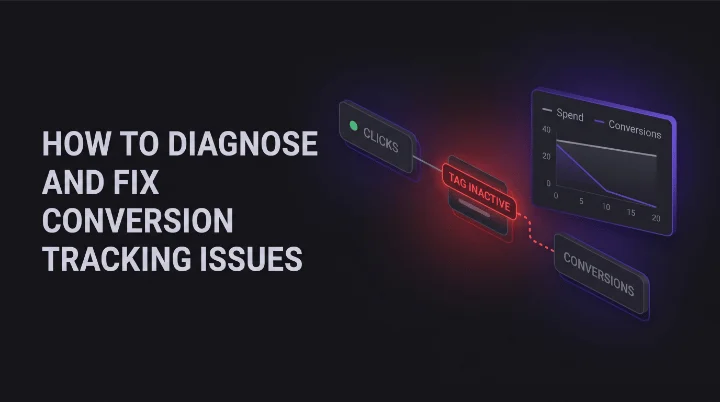
- Open the Conversions table and check the status column. Anything showing "Tag inactive" or "No recent conversions" is the audit's first finding, before anything else.
- Check which actions are set to Primary. Only actions you actually want to bid toward belong there. A newsletter signup sitting in Primary next to a purchase will quietly drag bidding toward the cheap action.
- Look for double counting. A GA4 import and a native Google Ads tag firing on the same purchase will inflate conversions, and nothing in the interface will tell you.
- Check the conversion window and attribution model. If someone changed the window from 30 days to 7, your year over year comparison is meaningless.
Each of those has a longer diagnostic path behind it. We covered the full set of failure modes, including GA4 mismatches and attribution shifts, in our guide on why Google Ads conversion tracking stops working. For audit purposes, you need to know whether the data is trustworthy, not to fix the tag on the spot.
What good tracking looks like in an audit
Clean tracking has three signs. One conversion source per action, with no duplicates. A Primary set that matches what the business actually sells. And a conversion count that moves in the same direction as backend sales, even if the absolute numbers differ.
If all three hold, mark tracking as verified and move on. If any of them fails, stop the audit and fix tracking first. An audit on broken data is worse than no audit, because it produces findings people act on.
What the Shape of Your Account Tells You
Account structure is where you read the account's history. Fragmented budgets, overlapping campaigns, and ad groups nobody has opened since 2023 all leave a shape. Three structural checks surface most of it.
Overlap between Search and Performance Max
This is the most common structural problem in accounts running both, and the most expensive. Performance Max can serve on queries your Search campaigns are already bidding on, including brand terms. When it does, brand conversions that would have come in at $4 start getting credited to a campaign spending $40 to find new customers.
Check it by pulling brand query performance by campaign. If a Performance Max campaign is taking a meaningful share of brand clicks, you have found real money. The fix is brand exclusions at the account or campaign level, plus a dedicated brand Search campaign to catch that traffic cheaply.
Budget concentration and orphan campaigns
Sort campaigns by spend and look at the top three. In a healthy account, the top campaigns are the ones the business cares about most. In a drifted account, the top spender is often whatever the algorithm found easiest to spend on.
Then look at the bottom. Campaigns with a $5 daily budget rarely gather enough data to exit the learning phase, so they underperform, so nobody raises the budget. Take a $30,000 per month account split across 14 campaigns. Six of them split $1,800 between them. Those six are not a strategy, they are leftovers. Consolidate or pause them.
Naming, geography, and settings nobody checks
Three quick checks close this section. Location targeting set to Presence or interest instead of Presence only, which quietly buys traffic from outside the service area. Search Partners and Display Network left enabled on Search campaigns. And naming conventions so inconsistent that nobody can tell which campaigns belong together.
None of those is dramatic on its own. Together they explain a surprising share of the gap between what an account should cost and what it does cost.
Where the Money Actually Leaks: Search Terms, Negatives, and Match Types
If tracking is the check that protects your conclusions, the search terms report is the one that finds the cash. It is also the step most often skipped, because it is tedious and because the report has gotten harder to read.
Key statistic. An analysis of millions of data points across 30 paid search accounts found that companies wasted an average of 15 percent of their budget on irrelevant keywords.
Reading the search terms report like an auditor
Pull the last 90 days, sort by cost descending, and work down. You are looking for four patterns, in this order:
- Spend with zero conversions. Any term above your target cost per acquisition with no conversions is a negative keyword candidate.
- Wrong intent. Job seekers, students, free, DIY, and competitor research queries. These convert at zero by definition.
- Wrong product. Terms for things you do not sell, which broad match finds with enthusiasm.
- Brand terms in non-brand campaigns. Cheap conversions inflating the performance of a campaign that is not earning them.
One caution worth knowing. Google does not show every query that triggered your ads, because terms below a volume threshold are withheld for privacy reasons. The share grouped under "other search terms" is money you cannot inspect. If that share is large, tighten match types rather than trying to negative your way out of it.
The negative keyword list nobody maintains
Most accounts have negative keywords. Few have a system for them. The audit question is not whether lists exist, it is whether they are applied where they need to be, and whether anyone has added to them in the last quarter.
Check three things: shared lists exist and are attached to the right campaigns, negatives are not accidentally blocking valuable terms, and the match types on your negatives do what you think they do. A broad match negative for "free" will also block "free consultation pricing", which may be a term you want.
Common leaks and where to find them
| Symptom | Where to look | Typical fix |
|---|---|---|
| Cost per acquisition climbing with stable conversion rate | Search terms report, last 60 days, sorted by cost | Add negatives, tighten match types |
| One campaign eating the budget | Campaign spend sorted descending, plus bid strategy settings | Cap budget, review target CPA or ROAS |
| Brand conversions suddenly cheap everywhere | Brand query share by campaign | Brand exclusions on Performance Max, dedicated brand campaign |
| Clicks steady, conversions falling | Conversion action status and tag health | Fix tracking before touching bids |
| Impressions up, clicks flat | Ad strength, asset ratings, and Quality Score components | Rewrite weak assets, check landing page relevance |
| Spend in regions you do not serve | Location targeting settings and location reports | Switch to Presence only, add exclusions |
That fifth row deserves its own note. A falling Quality Score raises your cost per click without anything obvious breaking, and the causes are rarely the ones people check first. We broke those down in four sneaky culprits behind a tanking Quality Score.
The Automation Layer Most Audit Checklists Still Skip
Here is where most Google Ads audit checklists show their age. They were written for an account made of keywords, ad groups, and manual bids. An account is made of campaign types that make their own decisions, and the audit has to cover the settings that constrain those decisions.
Performance Max: the three checks that matter
Performance Max hides most of its work, so audit the inputs and the outputs you can see.
- Asset group count and quality. One asset group holding every product means one signal for everything. Check that asset groups map to actual product or service lines, and that each has a full set of headlines, descriptions, images, and video.
- Exclusions. Brand exclusions, account level negative keywords, placement exclusions, and content suitability settings. Missing exclusions are the main reason Performance Max spend drifts toward cheap placements.
- Channel and asset reporting. Pull the asset group and listing group reports. If one channel takes a large share of spend with no conversions, that is a finding, even though you cannot control channel allocation directly.
AI Max, and the end of Dynamic Search Ads
If the account still runs Dynamic Search Ads, that is now a dated finding with a deadline on it. According to Google Ads Help, starting in February 2027, campaigns using Dynamic Search Ads will be automatically upgraded to AI Max.
For the audit, that means two things. Flag any remaining Dynamic Search Ads campaigns and plan the migration deliberately rather than waking up to it. And if AI Max is already on, audit its guardrails: URL exclusions so traffic does not land on the wrong pages, brand settings, and the search terms report, which is still where you see what the matching actually did.
Display, Demand Gen, and a January 2027 deadline
Standalone Display campaigns are on the same kind of clock. Google has said the ability to create new standalone Display campaigns will be permanently disabled in January 2027, with automatic migration to Demand Gen expected later that year.
An audit should treat every active Display campaign as a migration item, not a steady state. Moving it on your own schedule lets you set audiences, creative, and exclusions deliberately. Letting the auto-migration do it means inheriting defaults.
Bid strategies nobody has touched in a year
This is the quietest item on the list and often the most valuable. Open every campaign's bid strategy and ask two questions. When was this target set, and against what data?
A target cost per acquisition set 14 months ago reflects a cost structure, a conversion rate, and a product mix that have all moved since. A target return on ad spend set during a promotional period will strangle the campaign once the promotion ends. Also check for campaigns flagged as limited by budget, where the strategy is being held back by a cap rather than by performance, and campaigns stuck in learning because somebody keeps editing them.
Pro tip. Use the change history before you conclude anything. Filter the last 90 days and look at who changed what. A performance drop that starts the same week as a bid strategy change is not a mystery, it is a timeline. This single step removes most of the guesswork from a drop investigation.
Ads, Assets, and the Landing Page You Forgot to Open
By this point you have checked whether the data is real, where the structure leaks, and what the automation is allowed to do. What is left is the part the customer actually sees.
Asset level checks inside your responsive search ads
Ad strength on its own is a weak signal, and chasing Excellent is not a goal. The useful check is one level down, at the asset level. Pull asset performance ratings and look for headlines marked Low. Those are assets the system has tested and found weak, and they are still in rotation.
Also check for the structural stuff: at least two responsive search ads per ad group for rotation, pinned headlines that have not accidentally reduced the combination pool to almost nothing, and sitelinks, callouts, and structured snippets actually present. Missing extensions are free click-through rate left on the table.
Check approval status while you are there. An ad that is limited by policy still runs, just to a smaller audience, which makes it easy to miss. We covered the difference between disapproved and limited in this guide to Google Ads policy.
The landing page check that takes two minutes
Open the landing pages. Actually open them, on a phone. Three questions answer most of it: does the page load in under three seconds, does the headline match the ad that sent you there, and is the conversion action visible without scrolling?
Take a campaign sending 1,200 clicks a month at $6 a click. That is $7,200. If the landing page converts at 2 percent instead of 3.5 percent, the gap costs more than most of the bid optimizations you were planning. Landing pages sit outside Google Ads, which is exactly why audits skip them and why the upside is usually still there.
The 20-Point Google Ads Audit Checklist, Ordered by What It Costs You
Here is the full checklist in working order. The first seven protect your conclusions and find the biggest leaks. The middle group covers structure and automation. The last group is hygiene that compounds. Work top to bottom, and stop to fix anything in the first group before continuing.
| # | Check | What a problem looks like |
|---|---|---|
| 1 | Conversion action status | Tag inactive, or no recent conversions |
| 2 | Primary versus secondary conversions | Soft actions bidding alongside real sales |
| 3 | Duplicate conversion sources | GA4 import and native tag on the same action |
| 4 | Attribution model and conversion window | Window changed, comparisons now meaningless |
| 5 | Search terms report, 90 days by cost | High spend terms with zero conversions |
| 6 | Negative keyword lists and their match types | No additions in the last quarter |
| 7 | Brand query share by campaign | Performance Max absorbing brand traffic |
| 8 | Bid strategy targets and their age | Target CPA or ROAS untouched for a year |
| 9 | Campaigns limited by budget | Strategy capped rather than performing |
| 10 | Budget concentration across campaigns | Top spender is not the business priority |
| 11 | Performance Max asset groups | One asset group covering every product line |
| 12 | Performance Max exclusions | No brand, placement, or content exclusions |
| 13 | Dynamic Search Ads still running | Migration to AI Max not planned |
| 14 | Standalone Display campaigns | No Demand Gen migration plan |
| 15 | Location targeting setting | Presence or interest instead of Presence only |
| 16 | Search Partners and Display on Search campaigns | Enabled without anyone deciding to |
| 17 | Asset level performance ratings | Headlines rated Low still in rotation |
| 18 | Ad extensions coverage | Sitelinks or callouts missing entirely |
| 19 | Ad approval and policy status | Ads limited by policy, still serving quietly |
| 20 | Landing page speed, match, and mobile view | Page slow, or headline does not match the ad |
Expert Insight. The order is the whole point. People start at the ads because ads are fun to look at, and they finish three hours later having never checked whether the conversion data was real. Check the inputs first. Everything after that is cheaper.
What to Do With the Findings
A finished checklist is not an audit. It is a list. The value comes from what you do in the week after, and most of that value is lost to bad prioritization.
Rank by money at stake, not by checklist order
Score every finding on two axes: how much money it is costing per month, and how long the fix takes. Then work the high money, low effort items first, every time.
Adding 30 negative keywords takes 20 minutes and might save $2,000 a month. Restructuring an account takes a week and might save the same amount. Both are worth doing. Only one of them should happen on Monday morning.
Then document what you changed and when. Three months later, when something moves, change history plus your own notes are the difference between a diagnosis and a guess.
Why an annual Google Ads audit no longer works
Here is the uncomfortable part. Drift does not wait for your audit schedule. A bid strategy enters learning on a Tuesday. A tag breaks during a Thursday deploy. Broad match finds a new irrelevant query cluster over a weekend. By the time a quarterly audit catches it, the budget is spent.
The honest conclusion is that audit frequency should scale with spend, and that the checks themselves should run far more often than a person can run them. We laid out how agencies structure that across a portfolio in our blueprint for managing multiple Google Ads accounts, and the specific signals worth watching daily in our guide to real-time PPC anomaly detection.
That is the gap this checklist eventually runs into. The checks are known. The problem is that running them by hand, on every account, every week, is more hours than any team has.
Where automation takes over the checklist
This is the job Kuma Agents was built for. It connects to Google Ads, Microsoft Ads and Meta Ads through their official APIs, runs these checks continuously instead of quarterly, and ranks what it finds by what it is costing you. For many of the items above, it also prepares the correction and lets you push it to the account in one click.
Frequently Asked Questions
How long does a Google Ads audit take?
For a mid-size account, three to five hours of focused work to complete all 20 checks and write up findings. Large accounts with many campaign types take a full day or more. The time is not evenly spread: the search terms report and the automation layer usually account for more than half of it. Fixing what you find is separate, and typically takes longer than the audit itself.
How often should you audit a Google Ads account?
Tie it to spend and to how fast the account changes. A $50,000 a month account with Performance Max and Smart Bidding drifts much faster than a $3,000 a month Search-only account. The traditional quarterly audit was built for accounts that changed slowly, which almost none do now. The practical answer is a full structured audit quarterly, with the high-risk checks on tracking, search terms, and budget pacing running weekly or daily.
What is the difference between a Google Ads audit and a PPC audit?
A Google Ads audit covers one platform. A PPC audit covers all your paid channels, which usually means Google Ads, Microsoft Ads, and Meta Ads together. The methodology is the same: verify the data, find the leaks, check the automation settings. The platform specifics differ. If you run more than one platform, audit each one on its own first, then compare how budget is split across them.
Can you audit a Performance Max campaign properly?
Partly, and the limits are worth knowing. You cannot see individual search terms the way you can in Search campaigns, and you cannot control channel allocation directly. What you can audit is everything that constrains the campaign: asset groups, audience signals, brand and placement exclusions, listing groups, geography, and the bid strategy target. In practice, most Performance Max problems come from missing exclusions rather than from anything inside the black box.
What should you check first if performance suddenly dropped?
Check conversion tracking, then the change history, in that order. A conversion drop with steady clicks and spend is a tracking problem until proven otherwise. If tracking is clean, the change history tells you what was edited and when, and the timeline usually matches the drop. Only after both come back clean is it worth looking at auction pressure, seasonality, or competitor activity.